Your Professional Advertising Luminous Sign customizer
Fllow us:

  • shabang01
  • shabang02
  • shabang03
  • shabang04
Leave Your Message

How to Choose Customizable LED Signage in 2026?

Choosing Customizable LED Signage in 2026 requires more than comparing screen sizes or brightness ratings. According to Grand View Research’s 2024 Digital Signage Market report, the global digital signage market reached approximately USD 27.3 billion in 2023. The report also projects an 8.1% compound annual growth rate through 2030. These figures show strong demand, but they do not guarantee a successful installation.

A practical choice begins with the viewing environment. A roadside display may need 6,000 nits for direct sunlight. An indoor retail screen may perform better near 1,000 nits. Pixel pitch matters too. A 3.9-millimeter pitch can suit medium-distance viewing, while fine-pitch LED may be necessary near a showroom entrance. Front-service access, IP ratings, thermal control, power consumption, and warranty support deserve equal attention. A bright screen can still fail when maintenance requires expensive scaffolding.

Digital signage analyst Dave Haynes described the category clearly: “Digital signage is a medium, not a technology.” His point remains relevant for Customizable LED Signage. Hardware should serve a measurable communication goal, such as reducing queue confusion or highlighting a changing promotion. Content scheduling, remote monitoring, and CMS compatibility can determine daily value. Buyers sometimes focus too heavily on visual impact. That is understandable, but incomplete. A smaller, well-managed display may outperform a larger screen with weak content and poor service planning. This guide examines the specifications, supplier questions, and evaluation steps that can make a 2026 purchase more reliable.
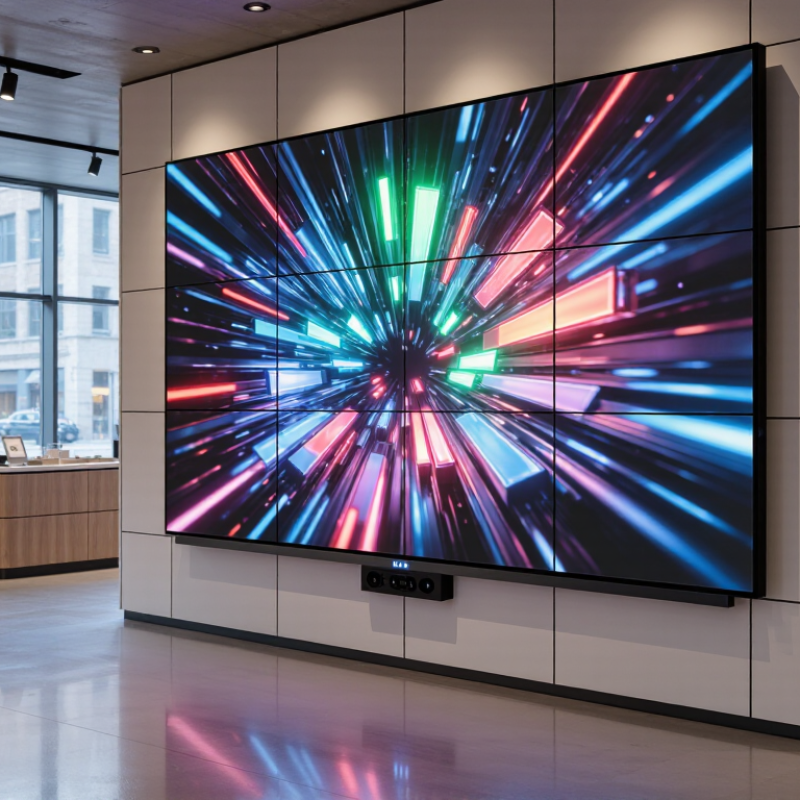
How to Choose Customizable LED Signage in 2026?

Define Customizable LED Signage and Its 2026 Applications

How to Choose Customizable LED Signage in 2026?

Customizable LED signage is a digital display system designed to change its message, layout, colors, and timing. It usually combines LED modules, a control system, mounting hardware, and content software. Unlike fixed signs, it can show promotions, directions, alerts, menus, or live updates. In 2026, useful customization means more than changing text. It includes remote scheduling, brightness adjustment, responsive layouts, and content adapted for different viewing distances.

Its applications are becoming more practical. Retail stores can display prices beside product images. Restaurants can update menus during busy hours. Offices can guide visitors through changing room layouts. Transport facilities can show arrival information and service notices. Outdoor venues may use weather-resistant panels for event schedules. When choosing a system, check pixel pitch, viewing distance, brightness control, maintenance access, and software reliability. A high-resolution display may look impressive, but it can be unnecessary for a roadside sign. I have seen projects overspend on detail that customers could not notice.

Tips: Measure the viewing distance before selecting pixel pitch. Test content in direct sunlight and low light. Ask whether technicians can replace modules safely. Confirm scheduling permissions and backup controls. Keep text brief. Accessibility also matters; use strong contrast, readable type, and controlled motion. A screen should attract attention without becoming visual noise. Review performance after installation, because real traffic patterns often reveal design problems that planning misses.
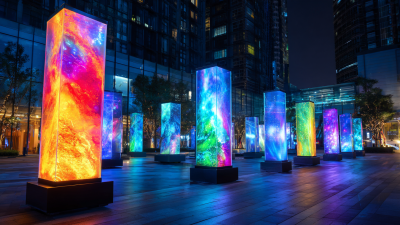
How to Choose Customizable LED Signage in 2026?

Customizable LED signage combines modular display panels, programmable content, adjustable brightness, and flexible installation formats. Choose the pixel pitch according to viewing distance, environment, content detail, and required brightness.

Typical pixel-pitch benchmarks: smaller pitches are suited to close-up, high-detail viewing, while larger pitches are more practical for long-distance outdoor applications. Final specifications should be confirmed through a site survey.

Identify Display, Size, Brightness, and Resolution Requirements

Choosing customizable LED signage in 2026 starts with the scene, not the screen. Measure viewing distance, sunlight, viewing angle, and message length before requesting a quote. Direct-view LED suits large outdoor walls and long sightlines. Indoor fine-pitch panels work better in lobbies, shops, and control rooms. A display can look impressive yet communicate poorly. I have seen crowded screens lose attention within seconds.

Size should follow readability, not empty wall space. Test the longest planned message at its real viewing distance. Pixel pitch then becomes critical. Smaller pitches create sharper close-up text, but usually increase cost and power demand. A 3 mm pitch often suits near viewing better than an 8 mm pitch. This is guidance, not a universal rule. Sign Research Foundation studies connect viewing distance, dwell time, and legibility in digital signage design.

Brightness must match ambient light. Indoor installations usually need less output, while sun-facing signs require strong, automatically dimmed brightness. Request calibrated brightness in nits, viewing-angle data, and refresh performance. The U.S. Department of Energy’s 2023 Solid-State Lighting R&D Opportunities report notes laboratory LED efficacy above 200 lumens per watt. Real signage also includes drivers, cooling, and controls. The IEA’s Energy Efficiency 2024 report estimates lighting uses about 15% of global electricity. Efficiency deserves a place in the specification. I still leave headroom for glare, dust, and aging. That may be imperfect. It is safer than trusting a showroom demo.

Compare Customization Options, Software, and Content Management Features

Choosing Customizable LED Signage in 2026

A flexible LED sign should adapt to your message, space, and daily workflow. Compare more than cabinet size or brightness. Check pixel pitch, viewing distance, cabinet shape, color control, mounting options, and weather protection. A narrow storefront may need a curved layout, while a roadside display needs strong brightness and automatic dimming. Request a working demonstration with your own content. Product photos can hide uneven colors.

Software often determines the real value of customization. Look for drag-and-drop templates, scheduled playlists, remote access, user permissions, and media support for images, video, animations, and live data. A reliable system should preview content before publishing and keep an activity log. Test the interface on a phone and a desktop. Slow loading becomes frustrating quickly.

Content management needs careful comparison. Ask whether screens can be grouped by location, time zone, or campaign. Emergency overrides, approval steps, and offline playback are useful for busy teams. Confirm update security, backup options, and compatibility with existing data sources. I once focused too heavily on visual effects and underestimated scheduling limits. That mistake made simple announcements harder to publish. Also inspect reporting details. Basic playback records may not prove that viewers saw the message, but they can reveal failed updates or disconnected screens. Support quality matters, especially when a display stops working before opening hours.

How to Choose Customizable LED Signage in 2026? - Compare Customization Options, Software, and Content Management Features

Evaluation Area Indoor Fine-Pitch LED Indoor Standard-Pitch LED Outdoor High-Brightness LED Interactive LED Kiosk or Display
Best Use Case Control rooms, premium retail, corporate reception areas, studios, and close-view environments. Retail stores, hospitality venues, schools, events, and general indoor advertising. Building façades, roadside advertising, sports venues, transport hubs, and public spaces. Wayfinding, product discovery, self-service, visitor registration, and public information.
Typical Pixel Pitch Approximately 0.9–2.5 mm for short viewing distances and detailed content. Approximately 2.5–4.8 mm for standard indoor viewing distances. Approximately 4–10 mm or more, depending on viewing distance and installation scale. Usually selected according to viewing distance, touch technology, and required image detail.
Cabinet and Shape Customization Fine-pitch modules, narrow bezels, curved installations, corner configurations, and custom aspect ratios. Standard modular cabinets, curved layouts, tiled walls, portrait orientation, and custom mounting structures. Weather-protected cabinets, large-format structures, curved façades, corner displays, and double-sided configurations. Portrait or landscape formats, integrated enclosures, accessibility features, and custom kiosk housings.
Brightness and Environment Moderate brightness is generally preferred indoors to reduce glare and eye strain. Suitable for controlled indoor lighting; brightness should be adjustable for daytime and nighttime operation. High brightness, automatic light sensors, weather protection, and thermal management are typically required. Brightness should match ambient conditions, viewing angles, and touch interaction requirements.
Content Sources Images, videos, presentations, live data feeds, web pages, and high-resolution digital signage layouts. Images, video, HTML5 content, social feeds, menus, announcements, and promotional playlists. Advertising campaigns, event information, traffic updates, emergency messages, and live data. Interactive applications, maps, product catalogs, forms, videos, web content, and localized information.
Recommended Software Model Cloud-based digital signage CMS with strong visual-quality controls and multi-screen synchronization. Cloud CMS, local media player software, or a hybrid platform for routine playlist management. Enterprise CMS with remote monitoring, device health alerts, scheduling, permissions, and offline playback. Application-enabled CMS or kiosk management platform with device lockdown and interaction analytics.
Content Scheduling Time-of-day, day-of-week, date-range, location-based, and campaign-based scheduling. Playlist scheduling, recurring schedules, and basic dayparting for promotions or announcements. Advanced scheduling by location, screen group, event, weather condition, or emergency priority. Contextual scheduling based on user interaction, queue status, location, or operating hours.
Remote Management Remote publishing, screen grouping, software updates, playback verification, and basic device monitoring. Remote content updates, playlist control, status checks, and user access management. Centralized fleet management, fault alerts, brightness control, temperature monitoring, and audit logs. Remote application deployment, kiosk lockdown, peripheral monitoring, and support diagnostics.
Connectivity and Offline Operation Ethernet or Wi-Fi is common; local caching allows scheduled content to continue during temporary outages. Ethernet, Wi-Fi, or cellular connectivity; offline playback is recommended for business continuity. Wired network connections are preferred for reliability; cellular backup and local caching may be used. Stable network access is important for live applications, with offline fallback for essential information.
Security and User Permissions Role-based access, encrypted connections, secure login, and approval workflows are recommended. User roles, password policies, content approval, and device authentication should be available. Enterprise identity integration, audit trails, network segmentation, encryption, and multi-level approvals. Application sandboxing, restricted system access, secure boot, remote locking, and privacy controls.
Integration Capability Web pages, data dashboards, presentation tools, and calendar or event feeds. Media libraries, RSS feeds, social content, menus, weather widgets, and basic APIs. REST APIs, databases, business intelligence dashboards, sensors, emergency systems, and data feeds. APIs, payment or ticketing systems, inventory platforms, sensors, cameras, QR codes, and accessibility tools.
Maintenance Requirements Front-service modules, calibration checks, ventilation, and periodic software maintenance. Routine module replacement, media-player updates, cleaning, and cable inspection. Weather-seal inspection, corrosion control, thermal checks, brightness calibration, and structural inspection. Touch-surface cleaning, application updates, peripheral checks, enclosure maintenance, and remote diagnostics.
Selection Priority for 2026 Choose when image detail, seamless appearance, viewing distance, and precise content control are most important. Choose when balanced image quality, flexible layouts, and manageable operating costs are required. Choose when outdoor visibility, uptime, weather resistance, and centralized fleet control are critical. Choose when audience interaction, application integration, accessibility, and measurable user actions are required.

Note: Specifications and capabilities vary by display construction, installation environment, media player, network design, and content management platform. Confirm viewing distance, brightness requirements, service access, connectivity, security, and integration needs before purchase.

Evaluate Energy Efficiency, Durability, Connectivity, and Maintenance Needs

How to Choose Customizable LED Signage in 2026?

Energy efficiency should be measured at actual brightness, not at the lowest laboratory setting. Ask for power consumption data at daytime and nighttime levels. Choose LEDs with automatic dimming and scheduling controls. A cooler cabinet usually protects components and reduces wasted energy. Measure twice. I once selected a bright display that looked impressive indoors but consumed too much power outdoors.

Durability depends on more than a strong frame. Check the enclosure’s weather resistance, thermal management, impact protection, and mounting hardware. Inspect cable seals and ventilation paths before installation. Dust matters. Request documented testing and a clear warranty covering modules, power supplies, and control systems. A sign facing direct sunlight may need stronger heat protection than one installed under a canopy.

Connectivity should match the team maintaining the sign. Network control can simplify updates, but unstable connections create avoidable service calls. Look for secure access, user permissions, remote diagnostics, and offline playback. Maintenance access should not require specialized tools or a lift every week. Keep spare modules and record brightness settings, error codes, and cleaning dates. Some specifications sound excellent until technicians use them. That gap deserves careful attention.

Select a Supplier, Set a Budget, and Plan Installation and Future Upgrades

How to Choose Customizable LED Signage in 2026?

Choose the supplier before choosing the screen. Ask for measured brightness, pixel pitch, viewing distance, ingress protection, warranty terms, and spare-part availability. Request a working demonstration, not only polished photographs. Grand View Research valued the global digital signage market at about $31.1 billion in 2023 and expects strong growth through 2030. That growth attracts capable suppliers and rushed ones. Check their installation records, electrical documentation, service response times, and experience with your building type. A local technician may cost more, but delayed repairs can cost more.

Set a full-life budget, not just a purchase price. Include structure, permits, cabling, control software, lifting equipment, electricity, content creation, maintenance, and eventual module replacement. The U.S. Department of Energy reports that LED lighting can use at least 75% less energy than incandescent lighting and last much longer. Signage still depends on brightness settings, ventilation, and operating hours. Obtain three comparable quotes. Compare five-year ownership costs. Cheap hardware often hides expensive installation.

Plan the screen’s next version before mounting it. Specify front-service access, replaceable modules, standard connections, remote diagnostics, and spare capacity in the electrical system. Leave physical clearance behind the cabinet. It matters. Schedule brightness checks and firmware reviews. Reserve a modest annual upgrade fund. The plan may still be imperfect; content needs, regulations, and display technology change quickly. A flexible cabinet is useful, but flexibility cannot fix poor site measurements. Verify wall loading, wind exposure, sunlight, and cable routes with qualified professionals before signing.